It took 13 hrs to get from the Twin Cities to get to Ashland, Montana to visit my brother. I had just gone out to Minnesota to go to Lutsen, MN for an annual snowboarding/ski trip with my group of friends in Minnesota, so I figured 13 hrs is much closer than the 24 hours it would have taken from Michigan. Fortunately for me, this winter has been unusually mild, and so with no snow anywhere to be seen from Minnesota, through North Dakota, and into Montana, the drive was relatively easy.
Star Trails…
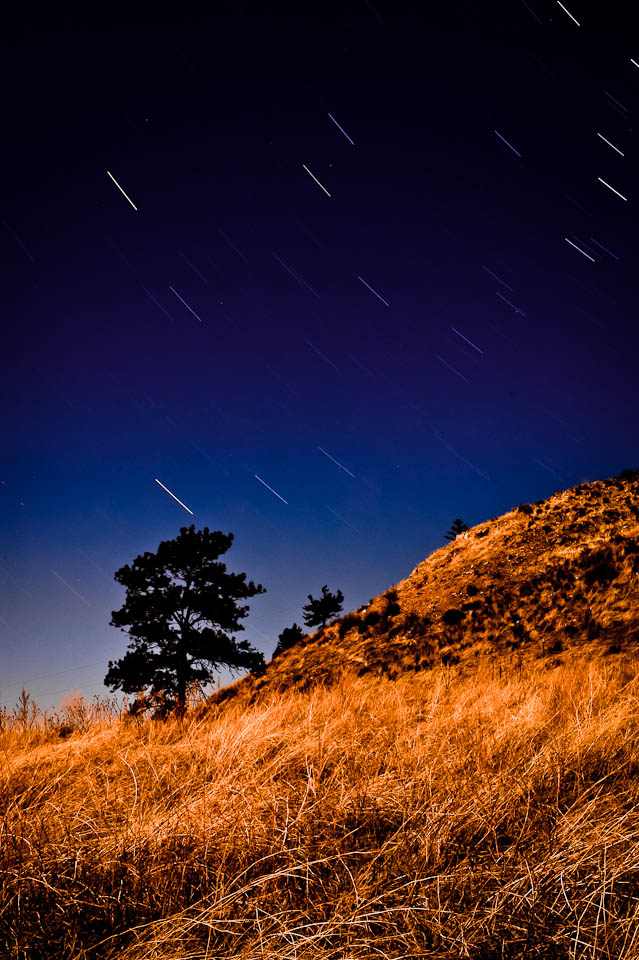
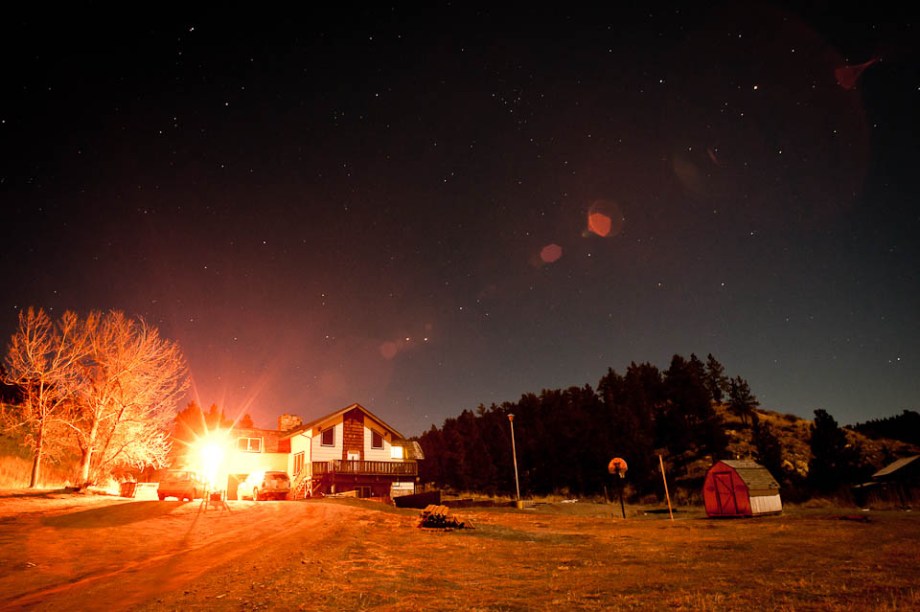
The optimal time to do star trail photos is if you are far away from civilization. The amount of light pollution you get from being near lots of city lights makes it harder for you to see and capture the stars through the atmosphere. Luckily for me, my brother is teaching on an Native American reservation far away from civilization and big city lights. The nearest big city would be Billings, which is about 2 hrs away by car. It was almost a full moon out, so I couldn’t really get any photos of the milky way, but what’s nice is that the moon lights the landscape, so as long as it’s a relatively still night (so you don’t have too many things moving, and being all blurry like bigfoot), then it works out pretty nice. Things turned out pretty good. I made adjustments on Lightroom, and only photoshopped out some power lines using content-aware fill, which worked well enough.
Anyway, enough talk, here are some photos:
Nikon D700, 50mm f/1.4D, 601s at f/16, ISO 200.
Overlook Saint Labre: Nikon D700, 20mm f/2.8, 20s at f/8.0, ISO 2500
The JV House: Nikon D700, 20mm f/2.8, 20s at f/8.0, ISO 2500
Also, feel free to leave any questions or comments below. 🙂
[Note: The first minute or so of the video doesn’t have audio, so you don’t need to adjust your audio settings. Just an FYI. I’ll probably fix this later. Also, you can like, comment, rate, and subscribe on my cousin’s youtube channel: JennyD12345]
Behind the Music Video
So, a few weeks ago, my Aunt and Uncle told me that my cousin (whom I had taken photos of in a previous post, here) was in need of a music video. My cousin had recorded a demo of original songs, and were asked to provide a music video for one of their songs to participate in a contest. They were referred to, and had spoken to, some guy who makes videos. Apparently, in exchange for his services, he was asking for a woven basket full of beanie babies stuffed with unmarked twenties. Well, maybe it wasn’t specifically asked for in that manner, but the point is that it was an amount my aunt and uncle weren’t willing to pay that amount. So, they came to me, their awesome nephew, looking for help.
Now, I had never done much video work, but since I have a camera that shoots video (the Nikon D300s), and I’m almost always willing to learn and try something new, I said, “Well, by golly, why the heck not?!” (But not really, because who really talks like that? Not me, by golly!)
We shot this video at a park near Jenny’s home. We didn’t realize how cold it was going to be, as it had been in the high 40’s (Fahrenheit, that is) that week, and only snowed that morning (and melted the following day). We ended up having to go back home to get extra socks and a warm water bottle for Jenny as she was getting cold.
The Gear:
So, I shot this with my Nikon D300s, mounted on a Manfrotto 561bhdv-1 video fluid head monopod (for stabilization), a LED video light, and a handful of my prime lenses (the 85mm f/1.4D, the 50mm f/1.4D, the 35mm f/2.0D, and the 20mm f/2.8).
Overall, the D300s did a decent job. It only shoots in 720P at 24fps (not the 23.98fps most cameras shoot), which is fine, but the overall control for video on the camera isn’t great. But as long as you are aware of it, you can totally work around it. For example, there are no manual settings for shooting video. You can set your aperture only while outside of Live-View, and then use the AE-Lock to lock the exposure. But in order to get the right exposure, you have to meter on something bright if you want it darker, or dark if you want it brighter. Once you lock it in, it only stays locked in as long as you don’t exit Live-View or turn your camera off (which you would probably do if you want to change aperture, lenses, or the battery). So, there were a few times when I forgot to lock the exposure, but this wasn’t a problem as long as the metering area didn’t move over to a darker or lighter spot during recording, as that would cause a visible stepping-up or down of the overall exposure).
What I would have done differently:
I wish I had shot more moving shots. It would have added a lot more to the video. I had relied on a lot of static shots, because I’m not really used to handling a DSLR to shoot video, so I wasn’t confident in being able to handhold the camera steadily. I think if I had one of those LCD Viewfinder magnifier things (like a Zacuto Z-Finder, or a cheaper one, like this one here), it’d add another point of contact, and give me a little more confidence to handhold the camera.
It’d also be nice if I had multiple cameras. This video was made using multiple takes, instead of having multiple angles of a single take. This made it harder on my cousin (as her fingers were getting cold, so she couldn’t play through the whole song without putting onto a warm water bottle), and more difficult to synchronize in Premiere Pro. I had my other cousin, Brian, help out by playing the song on an ipod speaker, so Jenny could try and sync closely to the actual song. So I used a lot of transitions to tie it together, and hide the majority of inconsistencies between the takes, although, if you’re paying close attention, you’ll still spot them.
Since this was my first time editing actual video, I didn’t have much experience with Premiere Pro. I had initially screwed up the sequence settings when opened up my project, so the audio bitrate wasn’t matching up, and I spent hours trying to figure out why my audio was crackling with static. Also, as I said earlier, the intro scene doesn’t have audio, and that was due to me screwing it up in Premiere Pro, something which I didn’t know how to fix at the time, but now I do. So even though I didn’t start out with knowing how to use Premiere Pro, I was able to google, and youtube just about anything I was trying to figure out how to do (aside from the audio issue I had to troubleshoot for hours). But, I guess next time, I’ll know a lot more about how to do what I want, or at least where to start. Also, I had Brian helping me out, and learning alongside me, which helped out with the frustrating parts. He also added the title in the intro with After Effects.
So, that’s about it… I’d say, it’s not bad for a first effort, but, there’s always room for improvement. If you have any questions, let me know in the comments below! Thanks for checking it out!
I know some people appreciated the timelapse-slideshow I made of my Europe trip, so I decided to do the same to all the photos from the hike. You can watch the video in HD on Vimeo, or in the embedded video below.
In August of 2011, some friends and I attempted to hike Long’s Peak – one of the more well-known fourteeners in Colorado’s Rocky Mountain National Park. The journey is grueling, and reportedly perilous. Would we make it? Watch the video to find out!
I blogged and posted some photos of the hike a couple months ago (https://jletookthis.wordpress.com/2011/10/03/longs-peak-my-first-fourteener/), but then I decided I’d put together a timelapse-style slideshow of the hike with all the photos I took. These photos were shot in raw, and were taken straight out of camera with no editing or cropping, and batch exported to jpeg.
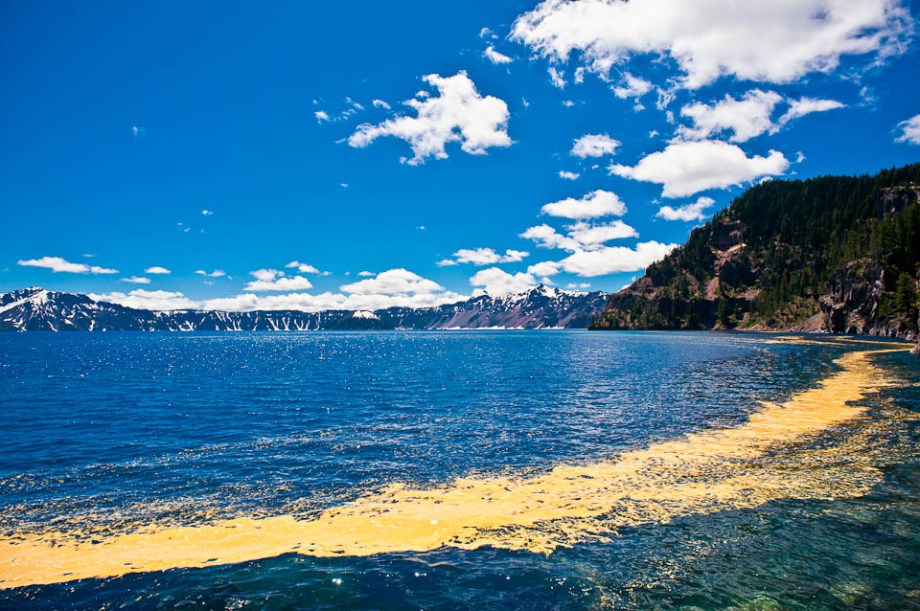
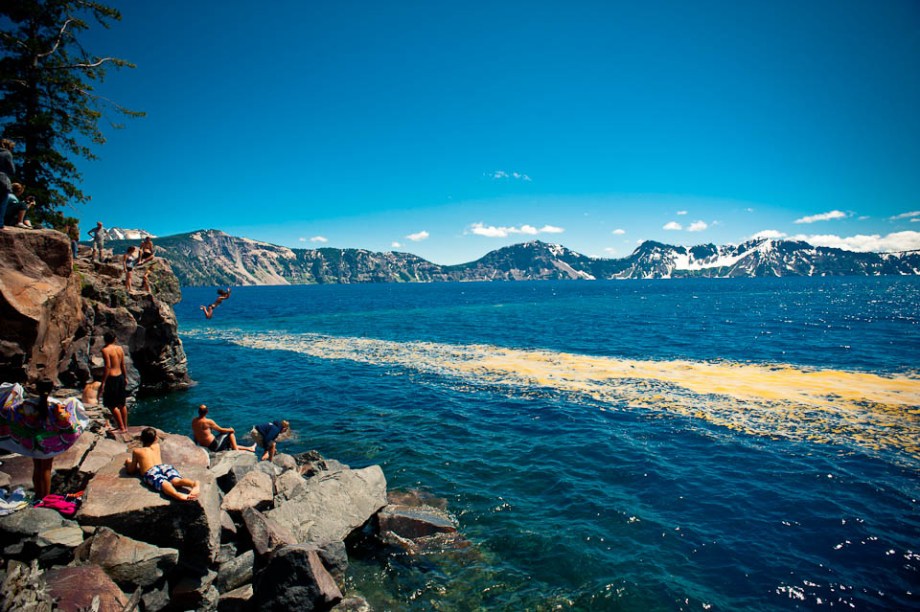
This past July, my brother and I were able to take a roadtrip across the US. One of our stops was Crater Lake National Park. If you ever find yourself in Oregon, I would definitely recommend taking a trip to Crater Lake National Park. If I recall correctly, it’s about a 5 hr drive from Portland, OR, or just over 3 hrs from Eugene, OR. You can drive almost all the way around the lake, and there are some great little hikes in the area.
My brother and I hiked down to the water, which is where I snagged this shot. The water stays close to freezing year round, but that doesn’t stop tourists from jumping into the water from a rocky outcropping. If we would have known, we’d have worn our swim trunks and taken a dunk as well.
For most photos, I tend to only use Adobe Lightroom 3 for my post-processing needs. However, sometimes some photos have distracting elements that just can’t be fixed in camera or in Lightroom. For times like this, I use Adobe Photoshop CS5. CS5 has a new feature called “Content-Aware Fill” which allows you to easily select distracting elements, and the program automagically fills in that area helping it blend it into the background. For the first photo, I used content-aware fill to remove a distracting rock from the foreground (on the lower right side), and some lens flare that I found distracting.
Here’s the original photo:
Crater Lake in July, Original Image
And here’s the final image, which can also be seen at the top of the post:
Crater Lake in July
So, it’s not a huge difference, but I think it’s something that definitely improves the final image.
Gear:
Here is the basic gear I used to take this photo (Linked to Amazon):
I left Detroit, MI on 10/28/11 and returned on 11/11/11. Midway through my trip, as I was scrolling through my pictures on the LCD of my D700, the thought occurred to me that it could be neat to make slideshow out of all the photos. This way, I don’t have to spend hours, days, or weeks going through my photos before I feel like I can show them to people, and can share them immediately.
Obviously, for my fragile ego’s sake, I have to mention these are all un-edited and unprocessed. Therefore, I make no guarantees as to the actual quality or content of these photos individually, but together, it seemed pretty nice. These are all the photos from my memory cards. 1511 photos, which was about 20 GB of space, all crammed into 8 minutes. I imported these photos into Adobe Lightroom 3, converting from .NEF to .DNG, with a basic preset which slightly adjusts the clarity and the tone curve. Once imported, I did a batch export to .jpeg, resizing the image height to 720px (maintaining the 3:2 aspect ratio), and then brought them into Adobe Premiere Pro CS5.5 as numbered stills. Added title screen and credit screen, slowed the speed to 12%, and added music. Song selection was based on what I was listening to on my iPhone while traveling, and has no real relevant meaning, aside from any subconscious reasons that I’m unaware of.
As this was my first time doing anything of this sort, and using Premiere Pro even, please forgive the basic-ness of this vid.
Things you’ll see in this video:
Poland (Warsaw):
– Tenderheart Care Bear, Shark Attack, & Waldo (aka Wally in Europe). Halloween isn’t celebrated in Europe like it is in the States, so the Americans in Poland celebrated it twice.
– Assistant Coach Katz
– Old Town Market Place
– All Saints Day at the Cemetary
France (Paris):
– The Opera
– St. Germain des Pres area (I guess the French love the rapper, Jermaine Dupree)
– Eiffel Tower (La Tour Eiffel)
– The Champs-Elysees Avenue
– Arc de Triomphe
– National Residence of the Invalids (Hotel Des Invalides)
– Moulin Rouge
– The Basilica of the Sacred Heart (Le Sacre-Coeur MontMartre)
– Place de la Concorde (including the Fontaines de la Concorde & the Obelisque de Louxor)
– Jardin des Tuileries
– Love Locks on Pont des Arts
– Arc de Triomphe du Carrousel
– The Louvre
– The Notre Dame
England (Cambridge):
– Thien & Stephen’s new pad
– Jesus Green
– King’s College
– Clare College
– Saint Catharine’s College
– Great St. Mary’s Church
– Our Lady & The English Martyrs Curch
Thanks for watching and I hope you enjoyed it.
Camera Gear: Nikon D700, Nikon 20mm f/2.8, Nikon 50 mm f/1.4D, Nikon 85mm f/1.4D, Sigma 24-60mm f/2.8. Video created on my Dell XPS 15.


 for my post-processing needs. However, sometimes some photos have distracting elements that just can’t be fixed in camera or in Lightroom. For times like this, I use
  . CS5 has a new feature called “Content-Aware Fill” which allows you to easily select distracting elements, and the program automagically fills in that area helping it blend it into the background. For the first photo, I used content-aware fill to remove a distracting rock from the foreground (on the lower right side), and some lens flare that I found distracting.


 Seldomly Updated